
Looking for the Best Android Game Emulator? Here’s the Comparison
Trying to find the best Android game emulator in 2026 can feel like a full-time job. Type that phrase into Google and you’ll get a wall of Top 10 lists that lump together completely different tools, some built to run Android apps on your PC, others built to run PC-style games on your Android phone, and a few that only handle retro consoles. If you don’t know the difference going in, it’s easy to download the wrong app, get frustrated, and give up entirely.
That’s exactly what this guide fixes. Instead of another vague ranking, we’re breaking down every major Android emulator on the market, JoiPlay, BlueStacks, LDPlayer, NoxPlayer, RetroArch, PPSSPP, MuMu Player, and Citra, by what they actually do, who they’re built for, and how they stack up on performance, price, and ease of use. Whether you want to play RPG Maker games and visual novels on your phone, run Genshin Impact on a full PC setup, or relive the PSP’s golden era, you’ll find the right match here. By the end, you won’t just know which app is the best Android game emulator on paper, you’ll know which one is best for you.
What Is JoiPlay and How Is It Different?
Before comparing, let’s quickly understand what makes JoiPlay unique compared to other emulators as well as Best Android Game Emulator in the world. Most Best Android game emulators (BlueStacks, LDPlayer, NoxPlayer) are designed to run Android apps and mobile games on PC. They essentially create a virtual Android phone on your Windows or Mac computer. JoiPlay does the complete opposite. JoiPlay is an Android app that lets you run PC-style games directly on your Android phone. Specifically, it’s designed for:
- ✅ RPG Maker games (XP, VX, VX Ace, MV, MZ)
- ✅ RenPy visual novels (via RenPy Plugin)
- ✅ HTML/JavaScript games (via Crosswalk Plugin)
- ✅ Flash games (via Ruffle Plugin)
- ✅ Fan-made Pokemon games (RPG Maker XP based)
So when you see someone comparing JoiPlay to BlueStacks, they’re actually solving different problems. This guide will help you understand exactly which tool you need.
Quick Comparison Table: Best Android Game Emulator
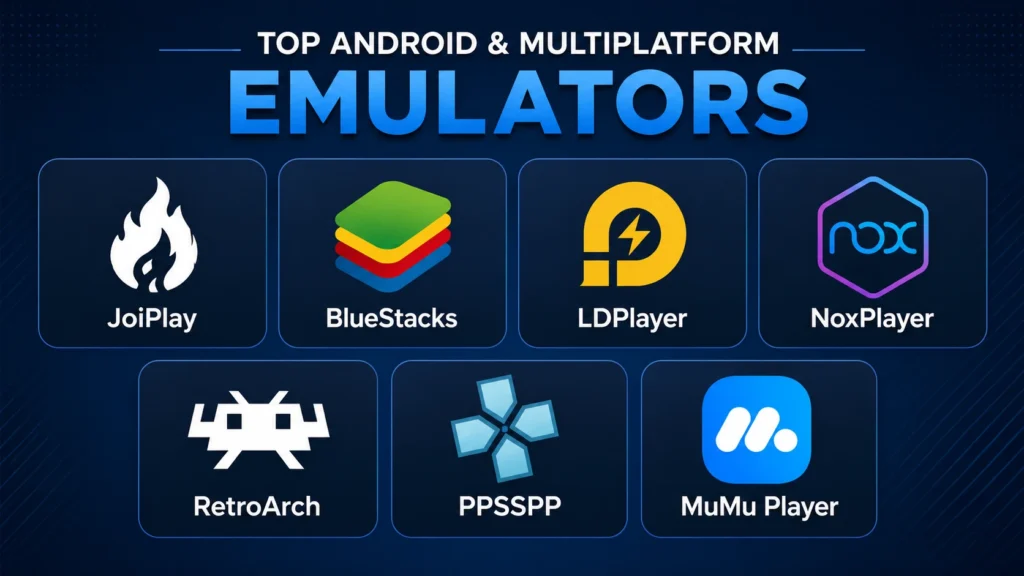
| Emulator | Platform | Best For | Price | Difficulty |
|---|---|---|---|---|
| JoiPlay | Android | RPG Maker & visual novels on phone | Free | Easy |
| BlueStacks | PC/Mac | Mobile games on computer | Free | Easy |
| LDPlayer | PC | Mobile gaming, lowest lag | Free | Easy |
| NoxPlayer | PC/Mac | General Android apps on PC | Free | Easy |
| RetroArch | Android/PC | Retro console games | Free | Hard |
| PPSSPP | Android | PSP games on Android | Free | Medium |
| MuMu Player | PC | Gaming, high FPS | Free | Easy |
| Citra | Android/PC | Nintendo 3DS games | Free | Medium |
JoiPlay|Complete Review
What It Does Best
JoiPlay is the undisputed king for playing RPG Maker and visual novel games on Android. If you want to play fan-made RPGs, classic visual novels like Doki Doki Literature Club or Corpse Party, or fan Pokemon games, JoiPlay is the only serious option on Android.
Key Features
- Built-in cheat menu for supported games
- Controller support for comfortable gaming
- Save file compatibility with PC versions
- Plugin system for different game types
- Completely free, no ads, no subscriptions
- Works on Android 5.0 and higher
- Lightweight, doesn’t drain battery heavily
What Games Work on JoiPlay?
JoiPlay supports thousands of games including:
- All RPG Maker game types (XP, VX, VX Ace, MV, MZ)
- RenPy visual novels and interactive stories
- Fan-made Pokemon games (Uranium, Reborn, Rejuvenation)
- HTML5 browser-style games
- Classic Flash games via Ruffle Plugin
| Pros | Cons |
| ✅ Purpose-built for RPG and visual novel games | ❌ Android only, no PC version |
| ✅ Completely free with no paid tiers | ❌ Not for mainstream mobile games (Genshin, PUBG etc.) |
| ✅ Huge library of compatible games | ❌ Some complex games may have compatibility issues |
| ✅ Controller support | ❌ Requires plugins for some game types |
| ✅ Built-in cheat menu | |
| ✅ PC save file compatibility |
Joiplay is best for gamers who want to play RPG Maker games, visual novels, and fan-made games on their Android phone.
JoiPlay Rating: 9.5/10 for its intended purpose
BlueStacks| Complete Review
What It Does Best
BlueStacks is the most popular and best Android game emulator for PC and has been for over a decade. It creates a full Android environment on your Windows or Mac computer, letting you play any mobile game with keyboard and mouse controls. BlueStacks is the most well-known Android emulator on the market and consistently tops best Android emulators lists due to its powerful performance and broad feature set. It offers smooth execution of Android apps and games on Windows and macOS, with built-in access to the Google Play Store as well as APK support.
Key Features
- Full Google Play Store access
- Advanced keyboard and mouse mapping
- Multi-instance support (run multiple games at once)
- Controller support
- Cloud gaming integration
- Macro recording for automation
| Pros | Cons |
| ✅ Massive game compatibility, any Android game works | ❌ PC only, not for Android phones |
| ✅ Google Play Store built in | ❌ Heavy on system resources |
| ✅ Great for competitive mobile gaming | ❌ Contains ads in free version |
| ✅ Regular updates and strong developer support | ❌ Not designed for RPG Maker games specifically |
| ✅ Works on both Windows and Mac |
Bluestacks is best for gamers who want to play mobile games like Genshin Impact, PUBG Mobile, or Clash of Clans on their PC with keyboard and mouse controls.
BlueStacks Rating: 9/10 for mobile-to-PC gaming
LDPlayer| Complete Review
What It Does Best
LDPlayes is also considered as one of the best Android game emulator. It specializes in Android gaming with high-performance optimizations and a lightweight setup. It is the ultimate game experience for MOBA, FPS, or RPG games, as it also offers custom key mapping, macro recording, and multi-instance operation. LDPlayer is especially popular with competitive mobile gamers because it consistently delivers the lowest input lag of any Android emulator on PC.
Key Features
- Lowest input lag of any PC Android emulator
- Multi-instance for running multiple accounts
- High FPS gaming support
- Lightweight, less resource-heavy than BlueStacks
- Free with no paid tiers
| Pros | Cons |
| ✅ Best performance for competitive gaming | ❌ PC only |
| ✅ Great for games requiring fast reactions | ❌ Interface less polished than BlueStacks |
| ✅ Free with no ads | ❌ Not suitable for RPG Maker or visual novel games |
| ✅ Lower RAM usage than BlueStacks |
LDPlayer is best for competitive mobile gamers who want the best possible performance playing games like Mobile Legends, PUBG Mobile, or Free Fire on PC.
LDPlayer Rating: 8.5/10 for competitive gaming
RetroArch| Complete Review
What It Does Best
RetroArch is a completely different beast from the other emulators on this list. It’s a frontend that runs multiple emulator cores, letting you play games from dozens of different consoles including NES, SNES, Game Boy, PS1, PS2, PSP, and many more. RetroArch is technically not an emulator; instead, it is a front-end for emulators that houses your cores (which perform the emulation), which allows you to use this application to play many retro games across many consoles.
Key Features
- Supports over 40 gaming consoles
- Available on Android AND PC
- Free and open-source
- Shader support for authentic retro visuals
- Netplay for online multiplayer retro gaming
| Pros | Cons |
| ✅ One app for 40+ retro consoles | ❌ Steep learning curve, confusing for beginners |
| ✅ Works on Android AND PC | ❌ Requires your own game ROMs |
| ✅ Completely free | ❌ Not suitable for RPG Maker or visual novel games |
| ✅ Incredibly powerful and flexible | ✅ Incredibly powerful and flexible |
RetroArch is best for Retro gaming enthusiasts who want to play classic console games from NES, SNES, Game Boy, PS1, PS2, and PSP on their Android phone or PC.
RetroArch Rating: 8/10
PPSSPP| Complete Review
What It Does Best
PPSSPP is the gold standard PSP and best Android game emulator. The original PSP was arguably the greatest portable RPG machine ever made, and PPSSPP runs its entire library flawlessly on modern Android. If you want to play PSP games on your Android phone, PPSSPP is simply the best option available.
Key Features
- Near-perfect PSP game compatibility
- HD upscaling for better visuals than original PSP
- Controller support
- Save state support
- Available for Android and PC
| Pros | Cons |
| ✅ PPSSPP Best android game emulator available | ❌ PSP games only |
| ✅ Runs almost every PSP game | ❌ Requires PSP game files (ISOs) |
| ✅ HD upscaling makes games look better | ❌ Not for RPG Maker or Android games |
| ✅ Free version is fully functional |
PPSSPP is best for PSP fans who want to play the massive PSP RPG library, Crisis Core, Kingdom Hearts, Monster Hunter, Persona 3 Portable, on Android.
PPSSPP Rating: 9.5/10 for PSP emulation
NoxPlayer| Complete Review
What It Does Best
NoxPlayer is also one of the Best Android Game Emulator that sits between BlueStacks and LDPlayer in terms of features and performance. It’s popular for being versatile and working well for both gaming and general Android app use on PC. NoxPlayer strikes a balance between gaming performance and general Android usability. It supports multi-instance, macro recording, gamepad and keyboard support, and customizable controls. Nox is compatible with a wide range of Android apps and games, making it a versatile alternative.
Key Features
- Good balance of gaming and general app use
- Macro recording
- Gamepad support
- Multi-instance support
- Free to use
| Pros | Cons |
| ✅ Versatile, good for gaming AND productivity apps | ❌ PC only |
| ✅ User-friendly interface | ❌ Slightly slower than BlueStacks or LDPlayer in benchmarks |
| ✅ Free with fewer ads than BlueStacks | ❌ Not for RPG Maker games |
| ✅ Good performance on mid-range PCs |
NoxPlayer is best for PC users who want a balance between gaming performance and general Android app compatibility.
NoxPlayer Rating: 7.5/10
MuMu Player| Complete Review
What It Does Best
MuMu Player is developed by NetEase and has become popular for its excellent performance especially at high framerates. MuMu Player is a fast and user-friendly Best Android Game Emulator that works well for gaming and simple tasks.
Key Features
- High FPS gaming support (up to 240 FPS)
- Clean and simple interface
- Good performance on lower-end PCs
- Regular updates
| Pros | Cons |
| ✅ Excellent high-FPS gaming performance | ❌ PC only |
| ✅ Simple clean interface | ❌ Limited proxy/network management |
| ✅ Works well on lower-spec PCs | ❌ Not for RPG Maker or visual novels |
| ✅ Free to use |
MuMu Player is best for Mobile gamers who want the smoothest possible high-framerate gaming experience on PC
MuMu Player Rating: 8/10
How We Ranked the Best Android Game Emulators
Not every emulator is chasing the same goal, so a fair comparison can’t rely on a single scorecard. For this guide, each Android game emulator was evaluated across five criteria:
- Purpose-fit: how well the tool does the one job it was built for (e.g., JoiPlay for RPG Maker games, PPSSPP for PSP titles)
- Performance: frame rates, input lag, and stability during actual gameplay
- Ease of setup: how quickly a new user can go from download to playing
- Cost and monetization: free vs. freemium vs. ad-supported
- Community and update support: how active development and modding communities are in 2026
Ranking emulators this way avoids the common mistake of comparing apples to oranges,
like scoring JoiPlay down because it “can’t run PUBG Mobile,” when that was never its job in the first place.
Is It Legal and Safe to Use an Android Game Emulator?
Emulator software itself, JoiPlay, BlueStacks, RetroArch, PPSSPP, and the rest, is legal to download and use in most countries, since the apps themselves don’t contain copyrighted game code. The legal gray area shows up around the game files you load into them:
- Fan-made games (RPG Maker projects, fan Pokémon games, indie visual novels) are generally created and distributed freely by their developers, so running them in JoiPlay is typically fine.
- ROMs and ISOs for commercial consoles (PS1, PS2, PSP, 3DS) are a different story, downloading copyrighted ROMs you don’t own is not legal in most jurisdictions, even if the emulator itself is.
For safety, always download emulator APKs and installers directly from the official developer site (not third-party APK mirrors), and check permissions before installing, a game emulator has no legitimate reason to request access to your contacts or SMS messages.
JoiPlay Plugin Breakdown: Which One Do You Actually Need?
One of the most common points of confusion for new JoiPlay users is figuring out which plugin matches which game type. Here’s a quick reference:
| Plugin | Use It For | Required? |
|---|---|---|
| RPG Maker Plugin | RPG Maker XP, VX, VX Ace games | Yes |
| RenPy Plugin | Visual novels (Doki Doki Literature Club, Corpse Party, Ib) | Yes |
| Crosswalk Plugin | HTML5 / browser-style games | Yes |
| Ruffle Plugin | Classic Flash games | Yes |
| RPG Maker MV / MZ games | Not required, works natively |
Installing the wrong plugin (or skipping one entirely) is the #1 reason new users report a game “not opening” in JoiPlay, so double-check your game type before troubleshooting anything else.
Best Android Game Emulator by Device Type
Your hardware matters as much as the software. Here’s a quick cheat sheet:
- Low-end or budget Android phone: JoiPlay (lightweight, low battery drain) or PPSSPP (efficient PSP emulation)
- Mid-range or older PC: LDPlayer or NoxPlayer (lower resource usage than BlueStacks)
- High-end gaming PC: BlueStacks or MuMu Player (built to take advantage of extra RAM and GPU power)
- Any device with existing game ROMs: RetroArch (cross-platform, works on both Android and PC)
Common Mistakes to Avoid When Choosing an Emulator
- Downloading BlueStacks to play RPG Maker games: it doesn’t support them; you want JoiPlay instead.
- Expecting JoiPlay to run mainstream mobile titles like Genshin Impact or PUBG Mobile, it’s not built for that use case.
- Skipping the plugin step in JoiPlay and assuming all game types work identically out of the box.
- Downloading ROMs from untrusted third-party sites, which risks both legal issues and malware.
- Choosing based on install count alone: popularity often reflects general-purpose use (like BlueStacks), not fit for a specific niche like visual novels or retro consoles.
Which Emulator Should YOU Choose?
Different emulators are best for different purpose. By studying the complete comparison, you’ll be able to decide which emulator is best for your need. Here are the basic requirements for each emulator choice.
Choose JoiPlay if:
- You want to play RPG Maker games on your Android phone
- You love visual novels (Doki Doki, Corpse Party, Ib)
- You want to play fan-made Pokemon games on mobile
- You want to play HTML or Flash games on Android
- You are a fan of indie RPGs and want mobile access
Choose BlueStacks if:
- You want to play mobile games on your PC
- You play Genshin Impact, PUBG Mobile, or similar games
- You want Google Plat Store access on your PC
- You are a competitive mobile gamer wanting better controls
Choose LDPlayer if:
- You play competitive mobile games (MOBA, FPS)
- You need the lowest possible input lag
- Your PC has limited RAM
- You manage multiple gaming accounts
Choose RetroArch if:
- You love classic retro games from multiple consoles
- You are comfortable with technical setup
- You want NES, SNES, GBA, PS1, PS2 all in one app
- You own game ROMs from consoles you have
Choose PPSSPP if:
- You specifically want to play PSP games
- You love PSP RPGs like Crisis Core or Persona 3
- You want HD upscaling for better visuals
JoiPlay vs BlueStacks: Head to Head
Since these are the two most searched comparisons, let’s do a direct breakdown:
| Feature | JoiPlay | BlueStacks |
|---|---|---|
| Platform | Android phone | Windows/Mac PC |
| Purpose | PC games on Android | Android games on PC |
| RPG Maker games | ✅ Perfect | ❌ No |
| Mobile games (PUBG etc.) | ❌ No | ✅ Perfect |
| Visual novels | ✅ Excellent | ❌ Limited |
| Google Play Store | ❌ No | ✅ Yes |
| Cost | ✅ Free | ✅ Free (ads) |
| System requirements | Low (Android phone) | High (needs good PC) |
| Setup difficulty | Easy | Easy |
| Controller support | ✅ Yes | ✅ Yes |
Verdict: These tools don’t actually compete, they do completely different things. JoiPlay is for playing PC-style games on your Android phone. BlueStacks is for playing Android games on your PC.
JoiPlay Setup: Get Started in 5 Minutes
If you’ve decided JoiPlay is the Best Android Game Emulator for you, here’s how to get started:
Step 1: Download JoiPlay APK
Download the latest version of JoiPlay from our homepage, it’s completely free.
Step 2: Install the Right Plugin
Depending on your game type, install the correct plugin:
- RPG Maker Plugin → for RPG Maker XP, VX, VX Ace games
- RenPy Plugin → for visual novels
- Crosswalk Plugin → for HTML games
- Ruffle Plugin → for Flash games
Step 3: Download Your Games
Find your games from platforms like itch.io, fan game communities, or RPG Maker forums.
Step 4: Add to JoiPlay
Open JoiPlay → tap “+” → select your game file → play!
Check out our complete JoiPlay setup guide and plugins explained guide for detailed help.
Conclusion
At the end of the day, there’s no single best Android game emulator for everyone, there’s only the best one for what you’re trying to play. If your goal is running RPG Maker games, visual novels, or fan-made Pokémon titles straight from your phone, JoiPlay is the clear winner, and it won’t cost you a cent. If you’re trying to bring mobile games to a full PC setup with keyboard and mouse, BlueStacks or LDPlayer will serve you better. Retro console fans should look at RetroArch or PPSSPP, depending on how many systems you want under one roof.