
How to Play DDLC on Android Using JoiPlay (Full Guide)
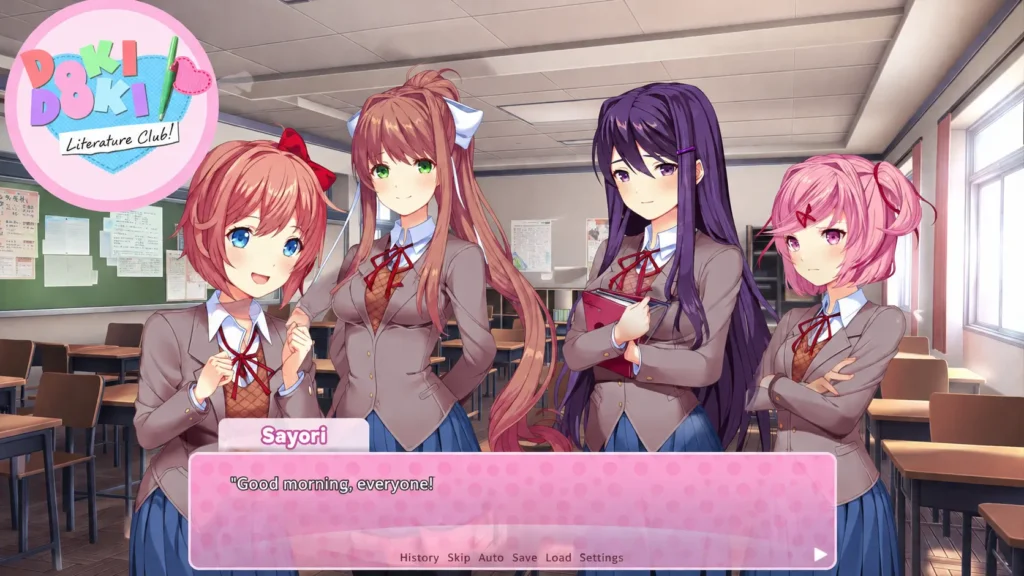
Doki Doki Literature Club, or DDLC, is one of the most talked-about visual novels ever made. It looks like a cute, simple story about a school literature club. But anyone who has played it knows there is a lot more going on under the surface. That mix of sweetness and shock is exactly why so many people fell in love with it, and why so many players now search for a way to enjoy DDLC on their phone.
The good news is that you don’t need a gaming laptop or a powerful PC to play it. With a small app called JoiPlay, you can run DDLC right on your Android phone. This guide walks you through the whole DDLC Android JoiPlay setup in plain, simple steps, so even if you’ve never installed an emulator before, you’ll be able to follow along without any trouble.
What Is DDLC, Exactly?
DDLC was made by Team Salvato and released for free back in 2017. On the surface, you join a high school literature club with four girls, write poems, and chat with them. It feels warm and light at first. But as the story moves forward, things twist in ways nobody expects. This surprise factor is a huge reason the game became a worldwide hit and still gets millions of searches every year. Because the original game was built for PC using the Ren’Py engine, it doesn’t come with an official Android version. That’s where JoiPlay steps in.
What Is JoiPlay?
JoiPlay is a free app for Android that lets you run PC-style visual novels and RPG Maker games directly on your phone. It doesn’t contain any games by itself. Instead, it acts like a player, or an engine, that reads game files and runs them smoothly on mobile. Since DDLC was built in Ren’Py, and JoiPlay supports Ren’Py through a small add-on, it’s the easiest and most popular way to get DDLC running on Android.
Think of JoiPlay as a remote control, and the Ren’Py plugin as the batteries it needs to actually work. You need both pieces for this DDLC Android JoiPlay method to work properly.
What You Need Before You Start
Before jumping into the steps, make sure you have the following ready:
- An Android phone with at least 1GB of free storage (2GB is safer)
- A stable internet connection for downloading files
- The JoiPlay app
- The Ren’Py plugin for JoiPlay
- The official DDLC game files from the official Team Salvato source
That last point matters a lot. Always get DDLC from its official website or its official Steam page, since the developers made it free to download. Avoid random file-sharing links, since they can carry viruses or altered game files that were never meant to be shared that way.
Step-by-Step: DDLC Android JoiPlay Setup
Here’s the full process broken down into easy steps.
Step 1: Download JoiPlay
Search for JoiPlay on Google and install it like any normal app. If it’s not available in your region on the Play Store, you can also find the APK on JoiPlay’s official website. Stick to the official source only.
Step 2: Install the Ren’Py Plugin
Open the JoiPlay app once it’s installed. Inside the app, there’s usually a section or a link that takes you to plugin downloads. Look for the Ren’Py plugin and install it the same way you installed JoiPlay. This plugin is what allows JoiPlay to actually understand and run Ren’Py-based games like DDLC.
Step 3: Get the DDLC Game Files
Go to the official source for DDLC and download the PC version of the game. It usually comes as a compressed folder. You won’t need to install it on a PC at all; you just need the raw game files.
Step 4: Move the Files to Your Phone
Transfer the downloaded DDLC folder to your phone. You can do this with a USB cable, cloud storage, or a file-sharing app, whichever is easiest for you. Once transferred, unzip the folder if it’s compressed, using any file manager app that supports unzipping.
Step 5: Import DDLC Into JoiPlay
Open JoiPlay and look for an option like “Add game” or a plus icon. Point it toward the folder where you placed the DDLC files. JoiPlay will scan the folder and recognize it as a Ren’Py game automatically.
Step 6: Launch and Enjoy
Once it’s added, you’ll see DDLC show up on your JoiPlay home screen just like an app icon. Tap it, give it a moment to load, and the game will start. From here, you play exactly like you would on a computer, just using touch controls instead of a mouse.
Common Problems and Easy Fixes
Even with a smooth guide, a few small hiccups can pop up. Here’s how to handle the most common ones.
- Game won’t open or crashes immediately This usually means the Ren’Py plugin wasn’t installed correctly, or your phone doesn’t have enough storage. Reinstall the plugin and clear some space, then try again.
- Text looks too small or too large JoiPlay has display settings inside its menu. You can adjust scaling and resolution until the text fits your screen properly.
- Game runs slowly Older or budget phones may lag a little. Closing background apps before launching DDLC usually helps a lot.
- Save files disappearing Make sure JoiPlay has storage permission enabled in your phone’s app settings, or your saves might not be written properly.
A Quick and Honest Content Note
DDLC is rated for mature audiences and is not meant for children. As the story progresses, it touches on heavy themes, including mental health struggles and self-harm, told in a way that can be intense for some players. If you know you’re sensitive to those topics, it’s worth being cautious, and if you’re going through a hard time yourself, this might not be the right game for you at this moment. Team Salvato has been open about this, and there are official warnings shown at the very start of the game itself.
Tips for the Best DDLC Android JoiPlay Experience
- Keep your phone plugged in during longer play sessions, since visual novels can drain battery over time with the screen constantly on.
- Use headphones. The music and sound design play a big role in how the story feels.
- Don’t rush through the dialogue. Some of the most important details are easy to miss if you skip through text too fast.
- Back up your save files occasionally, just in case something goes wrong with your phone or storage.
Why This Method Works So Well
A lot of people assume mobile gaming means lower quality, but that’s not true here. Since JoiPlay runs the actual Ren’Py engine files rather than some stripped-down version, the DDLC Android JoiPlay experience feels almost identical to playing on a PC. Same art, same music, same story beats, just on a smaller screen you can carry in your pocket.
This is also why the method has spread so widely online. Short clips and reaction videos of people playing DDLC on their phones for the first time keep circulating on social platforms, which only adds to the game’s already massive fanbase.
Conclusion
Getting DDLC running on your Android phone isn’t complicated once you know the steps. JoiPlay, paired with the Ren’Py plugin, makes it possible to enjoy this well-known visual novel anywhere, without needing a computer nearby. Just follow the steps above in order, grab the game from an official source, and you’ll be ready to experience the story for yourself, right from your pocket.