
The Best Way to Download Games for JoiPlay: A Complete Guide
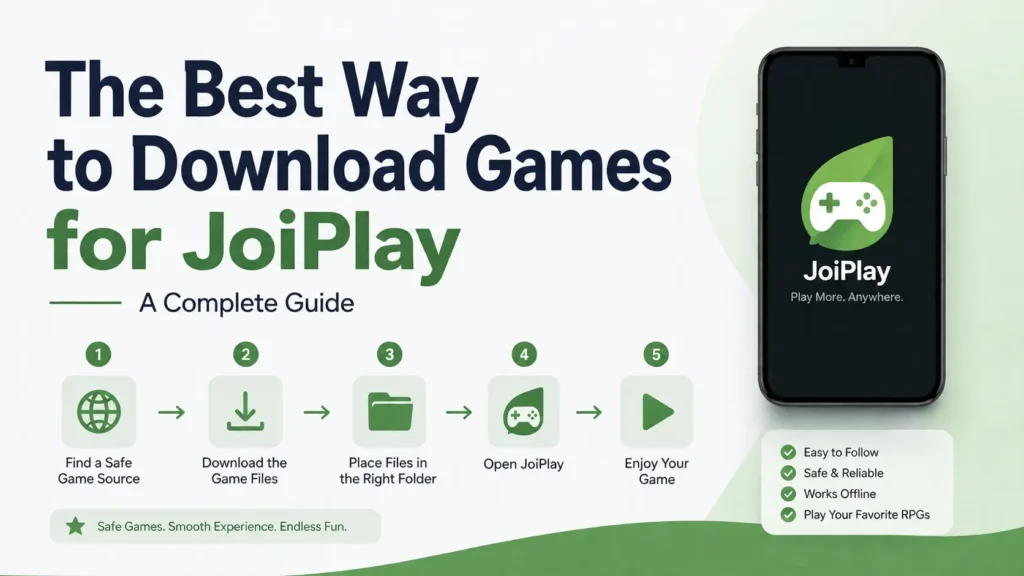
JoiPlay unlocks thousands games for JoiPlay like RPG Maker games, Ren’Py visual novels, HTML5 titles, and even preserved Flash games, all playable directly on Android. But unlike a traditional app store, it has no built-in library of its own; every game has to be found, downloaded, and loaded in manually. This guide covers the full process from start to finish: where to legally source games for each engine, how to download and verify them safely, how to extract archives on Android, how to keep a growing library organized, and how to troubleshoot the most common problems along the way.
Where to Find RPG Maker Games Legally
RPG Maker is one of the most popular engines supported by JoiPlay, and thankfully there are plenty of legitimate sources for both free and paid titles.
itch.io is by far the best starting point. It hosts thousands of indie RPG Maker games, many of which are free or pay-what-you-want, directly from independent developers. Filtering by RPG Maker tags makes it easy to browse titles built specifically for the engine JoiPlay supports.
Steam is another reliable source if you’re looking for polished, paid RPG Maker titles. Since JoiPlay doesn’t run Steam DRM-locked files directly, you’ll typically need to locate the game’s raw data folder after purchase (many RPG Maker games on Steam don’t use heavy DRM, making the files portable).
Official developer websites are worth checking too, especially for doujin and indie RPG Maker games originating from Japan, where many creators sell or distribute games for JoiPlay directly rather than through third-party platforms.
Always confirm you’re downloading a version compatible with the RPG Maker engine your installed plugin supports (VX Ace, MV, or MZ), since file structures differ between versions.
Where to Find Ren’Py Visual Novels
Ren’Py is the engine behind most modern visual novels, and JoiPlay handles it well with the right plugin installed. This guide will tell you what exactly Ren’Py plugin is and why you are using it.
itch.io again leads the pack here, with an enormous library of both free and commercial visual novels tagged specifically under Ren’Py. Many developers upload Android-ready builds directly, though the PC version typically works fine in JoiPlay too.
Steam also carries a large selection of Ren’Py visual novels, particularly from well-known indie studios. As with RPG Maker titles, you’ll need access to the game’s installation folder rather than launching through Steam itself.
Lemma Soft Forums, the official Ren’Py community hub, is a great resource for discovering lesser-known visual novels directly from developers, along with technical discussions if you run into engine-specific quirks.
Where to Find HTML Games
HTML5-based games, often built with engines that rely on the Crosswalk runtime, which require a bit more care when sourcing files.
itch.io once again supports HTML5 game distribution, and many browser-based titles can be downloaded as standalone packages rather than played only in-browser.
Newgrounds hosts a substantial archive of HTML5 games, especially titles that transitioned away from Flash in recent years. Many creators there provide downloadable versions alongside the browser-playable ones.
GitHub is an underrated source, particularly for open-source HTML5 games where developers publish the full source code and playable builds directly in their repositories.
Where to Find Flash Games
With Flash Player officially discontinued, finding playable Flash games has become trickier, but preservation projects have stepped in to fill the gap.
The Flashpoint Archive is the most comprehensive legal preservation project for Flash and other web-based games, maintaining an enormous, well-organized library of titles that would otherwise be lost.
Newgrounds still hosts a large portion of its original Flash catalog, with many games playable through emulation layers built into the site itself, and some available as downloadable files.
The Internet Archive’s Flash collection is another solid option, offering browser-emulated Flash games that, in some cases, can be extracted for offline use.
How to Download Safely
Because JoiPlay games often come from smaller, independent sources rather than a centralized app store, safety matters more than usual. Follow these practices to avoid malware:
- Stick to reputable platforms like itch.io, Steam, official developer sites, and well-known preservation archives. Avoid random file-sharing sites or forums with no moderation.
- Check file extensions carefully. A legitimate RPG Maker or Ren’Py game archive should contain expected file types like
.rgss3a,.exe(for extraction only, not execution), or standard Ren’Py folder structures, not unexpected.apkor.batfiles bundled in. - Scan downloads before extracting. Use a mobile antivirus app or, if downloading on a PC first, run the file through an antivirus scanner before transferring it to your phone.
- Avoid modified or cracked repacks from unofficial sources claiming to offer paid games for free. These are among the most common vectors for bundled malware.
- Read community reviews or comments on itch.io and similar platforms before downloading lesser-known titles, since user feedback often flags problematic files quickly.
Verifying File Integrity Before You Play
Beyond scanning for malware, it’s worth confirming a download isn’t corrupted or incomplete, especially for larger RPG Maker or voice-acted RenPy titles where a failed download is easy to miss until the game crashes mid-session.
Many itch.io and GitHub uploads include an MD5 or SHA-256 checksum on the download page. After downloading, a checksum verification app (several free ones are available for Android) can confirm the file matches exactly what the developer uploaded, catching corruption that a virus scan alone wouldn’t flag.
If a download consistently fails to extract, shows unexpected file sizes, or throws errors partway through installation, redownloading the file entirely is usually faster than trying to troubleshoot a partial or corrupted archive.
How to Extract ZIP/RAR Files on Android
Most games you download will arrive as compressed .zip or .rar archives, so you’ll need a reliable extraction method before JoiPlay can read the files.
- Install a file manager with built-in extraction support, such as ZArchiver or RAR for Android. Both are free and handle the vast majority of compression formats you’ll encounter.
- Locate the downloaded archive, typically in your device’s Downloads folder.
- Tap and hold the file, then select the extract option from the menu (wording varies slightly depending on the app, but it’s usually labeled Extract Here or Extract to Folder).
- Choose a destination folder you’ll remember, ideally a dedicated folder for JoiPlay games to keep things organized.
- Verify the extracted contents include the expected game files (an executable, data folders, and resource files) rather than another compressed layer, since some downloads are double-zipped.
If a file is password-protected, the description on the download page will usually list the password, often something simple related to the site name or game title.
Common Extraction Errors and How to Fix Them
| Error | Likely Cause | Fix |
|---|---|---|
| Archive is corrupted | Incomplete or interrupted download | Redownload the file completely |
| Wrong or rejected password | Password copied incorrectly, or extra spaces | Retype manually rather than copy-pasting; check the download page for password formatting notes |
| Extraction succeeds but folder is empty | Double-compressed archive not fully unpacked | Check for a nested .zip or .rar inside the extracted folder and extract again |
| Not enough storage during extraction | Archive size doesn’t account for uncompressed size | Free up storage equal to at least 2–3x the archive’s compressed size before extracting |
| Extracted files have garbled names | Encoding mismatch (common with Japanese-developed games) | Try a different extraction app; some handle non-Latin filename encoding better than others |
How to Add Downloaded Games to JoiPlay
Once your game files are extracted and ready, getting them into JoiPlay is straightforward.
- Open JoiPlay and tap the + or Add Game button on the main screen.
- Browse to the extracted game folder using the built-in file picker.
- Select the correct executable or data file, JoiPlay will typically detect the right file automatically if you point it to the game’s root folder, but for some engines you may need to select the
.exeordatafolder specifically. - Confirm the correct plugin is installed for that engine type (RPG Maker plugin, Crosswalk plugin, or Ren’Py plugin), since JoiPlay won’t run the game without it.
- Launch the game from your JoiPlay library to confirm everything loads correctly.
If a game fails to launch, double-check that you’ve selected the correct plugin version matching the engine build the game was made with, since mismatched plugin versions are the most common cause of launch failures.
How to Organize a Growing Game Library
Once you’ve downloaded a handful of games across different engines, a bit of folder organization goes a long way toward avoiding headaches later.
Create a dedicated root folder (something like JoiPlay Games) with subfolders split by engine type, RPG Maker, RenPy, HTML5, Flash. This makes it much easier to spot which plugin a game needs at a glance, and keeps JoiPlay’s file picker from becoming a scavenger hunt through unrelated files.
Keep each game in its own clearly named folder rather than extracting multiple games into a shared directory. Overlapping folder structures are a common reason JoiPlay loads the wrong data files or fails to detect saves correctly.
If storage becomes tight, move completed games you don’t plan to replay onto external storage or a computer backup rather than deleting them outright, especially for games with unique save files you might want to revisit.
Best Sites for Each Game Type
To summarize, here’s a quick reference for where to look based on the type of game you want:
- RPG Maker games: itch.io, Steam, official developer sites
- Ren’Py visual novels: itch.io, Steam, Lemma Soft Forums
- HTML5 games: itch.io, Newgrounds, GitHub
- Flash games: The Flashpoint Archive, Newgrounds, Internet Archive
Bookmarking these sources will save you time whenever you’re hunting for new titles to add to your JoiPlay library.
Understanding Game Version Numbers and Updates
Unlike Play Store apps, JoiPlay games don’t update automatically, so it’s worth understanding how versioning works across different platforms.
On itch.io, developers often post update logs directly on the game’s page, and many creators use itch’s built-in download new version notification if you’ve claimed the game (even for free titles). Checking back periodically, especially for RenPy visual novels still in active development, ensures you’re not missing bug fixes or additional story content.
For RPG Maker games, especially fan-made or doujin titles, version numbers are often included directly in the folder or file name. When updating, avoid simply overwriting an old folder with a new version unless the developer explicitly says save files are compatible, some engine updates change save file structures, which can corrupt existing progress.
Steam versions typically update through the Steam client itself, so you’ll need to re-extract the game’s raw files after any update before transferring the new version to your Android device.
Conclusion
Building a reliable JoiPlay library isn’t complicated once you know the process: source games from trusted platforms like itch.io, Steam, and preservation projects like Flashpoint, verify and extract files carefully, and keep everything organized by engine as your collection grows. The extra few minutes spent checking file integrity or confirming you have the right plugin installed will save you far more time troubleshooting a broken install later. With this workflow in place, you’ll have a steady, safe pipeline of RPG Maker games, visual novels, HTML titles, and classic Flash games ready whenever you want to add something new to your Android library.