
Want to Play Corpse Party on Your Android Phone? Here’s Exactly How!
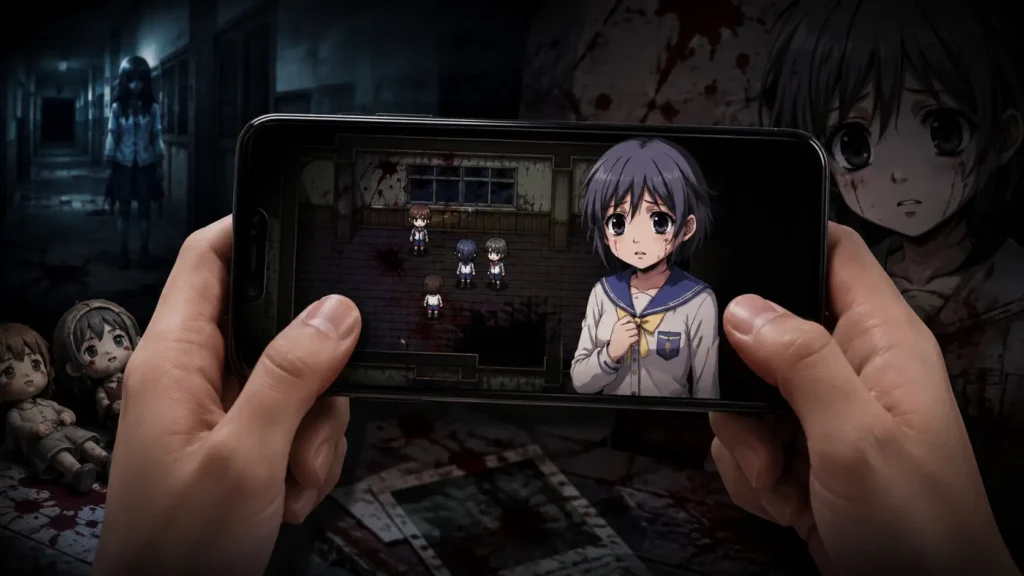
If you’ve heard about Corpse Party and want to experience one of the most terrifying and emotionally devastating horror games ever made, right on your Android phone, you’re in exactly the right place. Corpse Party is a legendary RPG Maker horror game that has been scaring players and breaking hearts since it was first released in 1996. It follows a group of high school students who perform a friendship ritual that goes horribly wrong, trapping them in the haunted ruins of an elementary school haunted by the vengeful spirits of murdered children. What happens next is one of the most brutal, shocking, and unforgettable stories in the horror genre.
The good news is that you can play Corpse Party completely free on your Android phone using the JoiPlay app. No emulator purchase required, no complicated setup, no expensive hardware. Just your phone, JoiPlay, and the game files. In this complete guide we’ll walk you through everything, what Corpse Party is, which versions work on JoiPlay, exactly how to set everything up, tips for the best experience, and how to fix common issues. Let’s get into it!
What Is Corpse Party?
Before diving into the setup, let’s talk a little about what makes Corpse Party so special and why it’s been a cornerstone of the RPG Maker horror community for decades. Corpse Party was originally created in 1996 by Makoto Kedōin using RPG Tsukūru Dante 98, one of the very earliest versions of RPG Maker. The game was a student project that became a cult classic, eventually spawning remakes, sequels, manga adaptations, anime episodes, and a passionate worldwide fanbase.
The story follows five high school students, Satoshi, Naomi, Yuka, Yoshiki, and Ayumi, who perform the “Sachiko Ever After” charm at their school festival to maintain their friendship after one of their friends transfers away. The charm goes wrong and transports the group to Heavenly Host Elementary School, a demolished school that now exists in a dark alternate dimension. The school is haunted by the spirits of students and a teacher who were murdered there years ago, and the only way out is to unravel the mystery of what happened while surviving the supernatural horrors that lurk around every corner.
What makes Corpse Party genuinely special, and genuinely terrifying, is the combination of its extremely dark subject matter, its pixel art that somehow makes things feel more disturbing rather than less, its incredible sound design, and its multiple endings system where the choices you make and items you collect determine who lives and who dies. Some of those deaths are absolutely brutal. The game earns every bit of its reputation.
The 2008 PC remake known as Corpse Party: Blood Covered is the version most Western players are familiar with, and it’s the version that works best with JoiPlay. This is the one we’ll be focusing on in this guide.
Why Play Corpse Party on Android With JoiPlay?
Great question. Corpse Party has official releases on several platforms including Steam, Nintendo Switch, iOS, and PlayStation. So why go through the trouble of setting it up on JoiPlay? There are a few good reasons:
The original RPG Maker PC version of Corpse Party, Blood Covered, has a raw, unfiltered atmosphere that some players actually prefer over the more polished later ports. The pixel art and simple sound design create a different kind of dread than the updated versions.
Playing on Android with JoiPlay means you can take the game anywhere. Horror games hit differently when you’re playing alone in a quiet place with headphones in, and having the game on your phone makes that much easier than being tied to a PC or console.
The free original version is accessible to everyone. Not everyone wants to pay for the Steam or Switch version just to see if horror RPGs are their thing. Playing the original version first lets you decide if you love the game before spending money on an official port. JoiPlay runs the game extremely well and the experience is very close to playing on PC.
Which Version of Corpse Party Works on JoiPlay?
This is important to get right before you start downloading anything. There are several versions of Corpse Party available and they don’t all work the same way on JoiPlay.
Corpse Party (Original 1996 version)
The original game was made with RPG Tsukūru Dante 98, one of the oldest versions of RPG Maker. JoiPlay has limited support for this version. It may run with issues or not run smoothly. Most players skip this version.
Corpse Party: Blood Covered (2008 PC version): RECOMMENDED
This is the version that works best with JoiPlay. It was built with RPG Maker and runs smoothly with the JoiPlay RPG Maker Plugin. This is the version most fans recommend as the definitive horror experience. It features the complete story across five chapters with multiple endings.
Corpse Party: Blood Covered: Repeated Fear (PSP/Steam version)
This is an enhanced remake with voice acting and updated sprites. The Steam version is a commercial release. While there are ways to play this version, we’ll focus on the original PC Blood Covered version which is freely available and works best with JoiPlay.
Fan-Made Corpse Party Games
There are several fan-made Corpse Party games built with RPG Maker VX Ace, including Corpse Party: ever after and various other fan continuations. These generally work well with JoiPlay and the RPG Maker Plugin. For this guide we’ll focus on setting up Corpse Party: Blood Covered on JoiPlay since it’s the most accessible and best-running version.
What You Need Before Starting
Before downloading anything, make sure you have these things ready:
Your Android phone needs to be running Android 5.0 or higher. Almost any Android phone from the last eight years will work fine. You’ll need at least 2GB of free storage for the game files and at least 2GB of RAM for smooth performance.
You need the JoiPlay app installed. If you don’t have it yet, download it from our homepage completely free. You need the JoiPlay RPG Maker Plugin installed. This is essential, without it, JoiPlay cannot run Corpse Party. Download it from our JoiPlay page.
You need a file manager app on your Android device. ZArchiver is the most popular choice and it’s free on the Play Store. You’ll need it to extract the game files after downloading.
Optional but strongly recommended: a good pair of headphones. Corpse Party’s sound design is a massive part of what makes it terrifying. Playing with headphones in the dark is the definitive Corpse Party experience.
How to Play Corpse Party on Android With JoiPlay: Step by Step
Now let’s get everything set up. Follow these steps carefully and you’ll be playing Corpse Party on your Android phone in under fifteen minutes.
Step 1: Install JoiPlay
If you haven’t already, download and install the JoiPlay APK from our homepage. Once installed, open the app and grant it storage permission when prompted. This permission is essential, JoiPlay needs access to your storage to read game files.
Step 2: Install the RPG Maker Plugin
Download the RPG Maker Plugin APK from our JoiPlay page. Install it on your Android device the same way you installed JoiPlay. You don’t need to open the plugin separately, it works in the background and JoiPlay will detect it automatically. Once both apps are installed, close and reopen JoiPlay to make sure it detects the plugin properly.
Step 3: Download Corpse Party Blood Covered
Search for Corpse Party Blood Covered PC download. The game is available from several fan preservation sites and the RPG Maker community. Look for the English-patched PC version which includes the full translation of all five chapters.
When downloading, make sure you’re getting a ZIP or RAR file containing the complete game folder. The game folder should be around 150-200MB in size. Download the file directly to your Android phone, or download it to your PC and transfer it to your phone via USB cable.
Step 4: Extract the Game Files
Once downloaded, you need to extract the game files using ZArchiver or your preferred file manager. Open ZArchiver, navigate to your downloaded file, long-press it, and select Extract. Choose a destination that’s easy to find, something like Internal Storage/Games/CorseParty. Wait for the extraction to complete fully before moving on.
Inside the extracted folder you should see various folders like Audio, Graphics, and System, along with a file called Game.exe and possibly a file called Game.rxproj. These are the important files JoiPlay needs.
Step 5: Add the Game to JoiPlay
Open JoiPlay and tap the plus button to add a new game. A file browser will open. Navigate to your extracted Corpse Party folder. Look for the file called Game.exe or Game.rxproj and tap on it to select it. Give the game a name, “Corpse Party” works fine, and tap OK. JoiPlay will add the game to your library with a default icon. You’re almost ready to play.
Step 6: Configure Settings (Optional but Helpful)
Before launching for the first time, tap and hold on the Corpse Party entry in your JoiPlay library to access game-specific settings.
A few settings worth checking: Enable Path Cache if it’s available. This improves file loading performance and prevents some crashes, especially on Android 9 and higher.
Check the screen orientation setting. Corpse Party is designed for landscape orientation, so make sure your phone is in landscape mode when playing for the best experience.
Step 7: Play!
Tap Corpse Party in your JoiPlay library and the game will launch. If everything is set up correctly, you’ll see the Corpse Party title screen within a few seconds.
Put your headphones in, find somewhere comfortable and quiet, and start playing. Just be prepared, this game is going to scare you and it’s going to make you feel things. That’s what it does best.
Corpse Party Controls on Android
Corpse Party uses simple point-and-click exploration with RPG Maker-style controls. Here’s how the controls map to JoiPlay’s virtual gamepad:
The D-pad or joystick moves your character around the school. The confirm button (usually A or Z) interacts with objects, doors, and items in the environment. The cancel button (usually B or X) cancels actions and opens menus. The menu button opens the main game menu where you can save, check your inventory, and manage items.
JoiPlay displays a virtual gamepad overlay on screen. You can customize the size and position of buttons by accessing the overlay settings. If you have a Bluetooth controller, it will work with JoiPlay and Corpse Party automatically, and honestly, playing horror games with a physical controller is an even better experience than touchscreen controls. For tips on setting up a controller with JoiPlay, check out our JoiPlay Controller Setup Guide.
Corpse Party Game Tips for New Players
If this is your first time playing Corpse Party, here are some essential tips that will make your experience much better without spoiling anything:
- Save constantly. Corpse Party has a brutal system where making wrong choices or missing certain items leads to “Wrong Ending” scenarios where characters die horrible deaths. Save at every opportunity, especially before entering new rooms or areas you haven’t explored before. The game even rewards you for finding all the Wrong Endings, but you’ll want a save to return to.
- Examine everything. Every single item you can interact with in the school might be important. Notes left by previous victims, items scattered around rooms, and environmental details all contribute to understanding the story and in some cases are required to unlock the true endings.
- Pay attention to the Heavenly Host chapters. The game switches between multiple character groups exploring different parts of the school. Each group’s story connects to the others in ways you won’t fully appreciate until everything comes together.
- The sound design is essential. Play with headphones. Seriously. The footsteps, the distant crying, the music that cuts out at the wrong moment, all of it is designed to build dread in a very specific way. Playing without headphones significantly reduces the impact of the horror.
- Don’t rush. Corpse Party rewards exploration and careful reading. Taking your time and absorbing the atmosphere makes the scary moments hit much harder than if you’re rushing through trying to find the next objective.
- There are multiple endings. Corpse Party has a True Ending for each chapter that requires specific actions and items to be found. If you get a Wrong Ending, don’t assume that’s the real story, load your save and try a different approach.
Corpse Party on JoiPlay: Common Issues and Fixes
Game launches but immediately crashes
Make sure the RPG Maker Plugin is installed and that JoiPlay has detected it. Close JoiPlay completely and reopen it after installing the plugin. If the crash persists, try enabling Path Cache in the game settings.
Missing file errors on launch
Corpse Party Blood Covered may require the RPG Maker XP Runtime Package (RTP) to run properly. If you see errors about missing image or audio files, download the RPG Maker XP RTP and add it to JoiPlay through Settings. Our complete Runtime Package guide explains the process in full detail.
Game runs very slowly
Close all background apps before launching Corpse Party. The game itself isn’t very demanding but having many apps open can cause slowdowns. Also try enabling Path Cache in the game settings.
Audio cuts out or sounds wrong
This is sometimes caused by the audio format of the game files. Try clearing JoiPlay’s app cache through your Android Settings, then relaunch the game. Most audio issues resolve themselves on a fresh launch.
Black screen after title screen
This usually means the wrong file was selected when adding the game to JoiPlay. Remove the game from your JoiPlay library, tap the plus button to add it again, and this time make sure you’re selecting the Game.exe or Game.rxproj file specifically, not just the game folder.
Text appears garbled or in Japanese
Corpse Party was originally in Japanese. If you’re seeing Japanese text instead of English, you may have downloaded the Japanese version rather than the English-patched version. Look for a version that specifically includes the English translation patch.
More Corpse Party Games to Play on JoiPlay
If you finish Corpse Party Blood Covered and want more, here are the other games in the series worth exploring:
Corpse Party: Book of Shadows is a visual novel-style follow-up that expands on the stories of characters from the first game. It’s more of a supplementary story than a direct sequel but it’s essential reading for fans who want the complete picture of what happened at Heavenly Host.
Corpse Party 2: Dead Patient is a freeware horror game that serves as a prequel and spinoff, set in a hospital rather than a school. It’s available as a freeware download and runs well with JoiPlay.
Fan-made Corpse Party games like Corpse Party: ever after are available on rpgmaker.net and bring new stories set in the Heavenly Host universe. These are created with RPG Maker VX Ace and work with the JoiPlay RPG Maker Plugin.
Corpse Party II: Darkness Distortion is the official major sequel announced by MAGES and Team GrisGris. Unlike the original games, it’s a 3D horror game set in a hospital. As of 2026 it was released and has been well received by horror fans.
Other Horror Games to Play on JoiPlay After Corpse Party
Once you finish Corpse Party and want to experience more horror on JoiPlay, here are some essential recommendations:
Dead Plate is a recent freeware horror game that became massively popular online. It’s short, about two to three hours, but absolutely packed with tension and brilliant writing. Check out our complete Dead Plate on Android guide for setup instructions.
The Witch’s House is another classic RPG Maker horror game with an iconic ending that players still talk about years later. It plays similarly to Corpse Party with puzzle-solving in a dangerous environment.
Ib is a more atmospheric and melancholic horror game set in a mysterious art gallery. Less brutal than Corpse Party but deeply unsettling in its own way.
Ao Oni is famous for its chase sequences and jump scares. If Corpse Party’s slow burn atmosphere made you want something more immediately terrifying, Ao Oni delivers.
For a full list of the best horror games available on JoiPlay, check out our Best RPG Maker Horror Games guide.
Final Thoughts
Corpse Party is one of those rare games that genuinely earns its legendary reputation. It’s disturbing, heartbreaking, and terrifying in equal measure, and playing it on your Android phone through JoiPlay is a surprisingly great way to experience it. The setup takes about fifteen minutes. The experience will stay with you for much longer than that. Get JoiPlay, grab the RPG Maker Plugin, find the game files, and settle in somewhere dark and quiet with your headphones. Just don’t say we didn’t warn you about what’s waiting inside Heavenly Host Elementary School. Happy haunting! 👻