
Godot Engine: The Complete Guide to Game Development’s Favorite Free Game Engine
If you’ve spent any time researching game development tools, chances are you’ve come across the name Godot. Over the past few years, Godot has grown from a relatively obscure open-source project into one of the most talked-about names in the indie game development world. Developers switching from proprietary engines, students learning to code their first game, and hobbyists building passion projects on weekends are all asking the same question: what exactly is Godot, and why does everyone seem to be recommending it?
If you’re more interested in playing indie horror titles than building them, check out our guide to RPG Maker horror games.
In this article, we’ll answer that question in depth. We’ll define Godot, explore what makes Godot Engine different from other tools on the market, walk through the major improvements introduced in Godot 4, and explain why it consistently ranks among the best free game engines available today.
What Is Godot? A Simple Definition
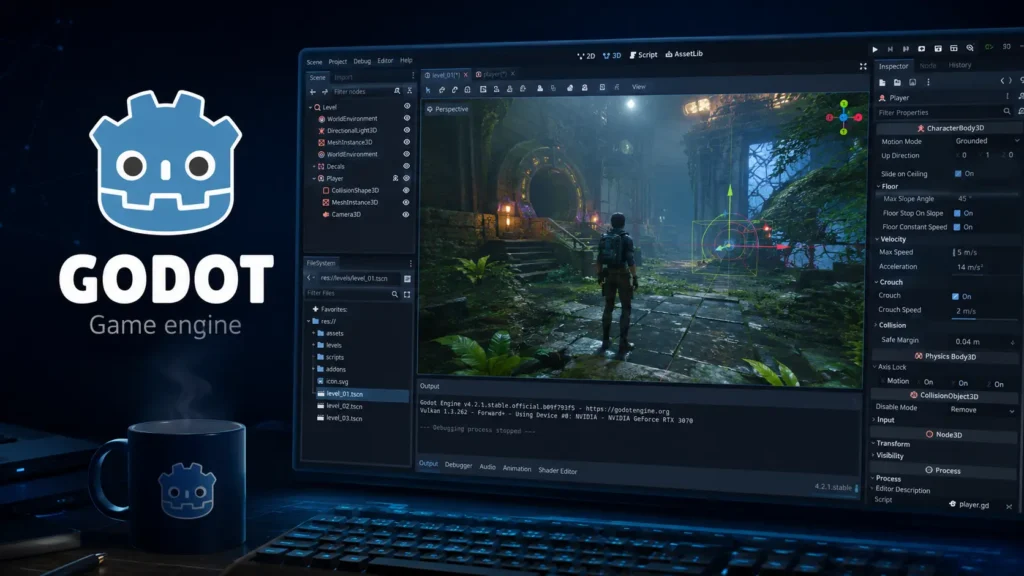
To define Godot in the simplest terms: Godot is a free, open-source game engine used to create 2D and 3D video games, as well as other interactive applications. It provides developers with a complete set of tools, a visual editor, a scene system, built-in scripting languages, physics engines, animation tools, and export options for multiple platforms, all bundled into a single, lightweight package.
Unlike many commercial engines, Godot is not owned by a single corporation with a profit motive attached to every feature. Instead, it’s developed by a community of contributors and maintained under the MIT license, which means it’s completely free to use, even for commercial projects, with no royalties, revenue cuts, or hidden licensing fees. This is one of the primary reasons Godot has become synonymous with the idea of accessible, no-cost game development.
The name Godot itself is a nod to Samuel Beckett’s play Waiting for Godot, chosen somewhat playfully by the engine’s original creators to reflect the long, patient process of building software. Today, that name has become widely recognized in gaming and programming circles as shorthand for a specific philosophy: powerful tools shouldn’t require a paycheck to access.
A Brief History of Godot Engine
Godot Engine was originally created by Argentine software developers Juan Linietsky and Ariel Manzur, who began working on it as an in-house engine for their own studio projects before releasing it publicly in 2014. What started as a niche tool used by a small circle of developers has since exploded into a full-fledged ecosystem with thousands of contributors, a dedicated foundation overseeing its development, and corporate sponsorships from companies that rely on the engine for their own products.
The turning point for Godot’s popularity came around 2023 and 2024, when a wave of controversial licensing changes from major commercial engines pushed developers to look for alternatives. Many studios and solo developers, frustrated by unpredictable pricing models and installation-based fees from competitors, turned to Godot as a stable, community-owned alternative. This migration significantly accelerated Godot’s growth, expanded its plugin ecosystem, and brought in a wave of new tutorials, courses, and asset packs.
Godot on JoiPlay: Experimental Support
JoiPlay now includes experimental plugins for Godot 3 and Godot 4, allowing certain GDScript-based Godot games to run on Android without native porting. Compatibility is still limited, heavier, graphically demanding games may not work well, but lighter GDScript-only titles typically run without major issues. For players who’ve discovered indie horror games through JoiPlay and RPG Maker, this update opens the door to exploring Godot-built titles on the same platform, and offers an early glimpse of what building in Godot could look like once exported for mobile.
Core Features of Godot Engine
Understanding what Godot actually offers helps explain why it has earned such a loyal following. Here are the core pillars of the engine:
1. Scene-Based Architecture
Godot organizes everything, characters, levels, UI elements, and even entire games, into scenes. Each scene is a tree of nodes, and nodes can be combined, nested, and reused across a project. This modular approach makes it easy to build complex games from small, manageable, reusable pieces, which is particularly helpful for developers working solo or in small teams.
2. GDScript: A Purpose-Built Scripting Language
Godot comes with its own scripting language called GDScript, which is intentionally designed to resemble Python in its syntax. This makes it approachable for beginners while remaining powerful enough for experienced developers. For those who prefer more traditional languages, Godot also supports C#, and through GDExtension, developers can integrate C++ and other languages for performance-critical systems.
3. Built-In 2D and 3D Support
Many engines treat 2D as an afterthought bolted onto a 3D-first architecture. Godot does the opposite, it has a dedicated, purpose-built 2D engine alongside its 3D engine, meaning 2D games benefit from pixel-perfect rendering, dedicated 2D physics, and a lightweight footprint rather than inheriting unnecessary overhead from 3D systems.
4. Cross-Platform Exporting
Godot supports exporting projects to Windows, macOS, Linux, Android, iOS, HTML5 (web), and consoles through third-party partnerships. This flexibility means a single project can reach players across nearly every platform without needing to rebuild systems from scratch.
5. Lightweight Editor
One of the most frequently praised aspects of Godot is how lightweight and fast its editor is. The entire engine download is typically well under 100MB, and it runs smoothly even on modest hardware, a stark contrast to some competitor engines that require powerful machines just to open the editor comfortably.
6. Visual Scripting and Animation Tools
Godot includes an animation editor for keyframing sprite and 3D object movement, a tilemap editor for building 2D levels quickly, and a shader editor for creating custom visual effects, all included in the base install, with no need for paid add-ons.
What’s New in Godot 4
The release of Godot 4 marked one of the most significant overhauls in the engine’s history, and it’s a major reason the engine has seen renewed attention from both new and returning developers. Here’s what changed:
- A completely rewritten rendering engine. Godot 4 introduced the Vulkan-based renderer, replacing the older OpenGL-based system used in Godot 3. This brought substantially improved graphical fidelity, better support for modern lighting techniques like global illumination, and improved performance for 3D projects.
- Improved physics engine. Godot 4 replaced its physics backend with a new, custom-built physics engine (Godot Physics), improving accuracy and consistency for both 2D and 3D collision detection and rigid body simulation.
- Better UI and node management. The user interface received a significant refresh, with cleaner menus, improved node organization, and quality-of-life changes that reduce friction for developers managing large, complex projects.
- Enhanced GDScript performance. The scripting language itself received performance improvements, along with better static typing support, making it easier to catch bugs early and optimize performance-critical code.
- Expanded platform support. Godot 4 improved mobile and web export pipelines, making it easier to bring games to Android, iOS, and browser-based platforms with fewer compatibility headaches.
For developers who used earlier versions of the engine, Godot 4 represents less of an incremental update and more of a generational leap, comparable to a completely new engine wearing a familiar interface.
Why Godot Stands Out Among Free Game Engines
There is no shortage of free game engines on the market today, so it’s worth addressing directly why Godot has carved out such a strong reputation among them.
- Truly free, not free with limits. Some engines marketed as free actually operate on revenue-share models, royalty structures, or seat-based licensing once a studio hits a certain size or income threshold. Godot has none of this. It is free for individuals, students, hobbyists, and commercial studios alike, regardless of how successful a game becomes.
- Open-source transparency. Because Godot’s source code is publicly available, developers can inspect exactly how the engine works, modify it to suit specific needs, and contribute fixes or features back to the community. This level of transparency is rare among commercial engines, where core systems remain closed off.
- No dependency on a single company’s business decisions. One of the biggest risks of relying on a corporate-owned engine is that pricing, licensing, or policy changes can happen with little warning, potentially disrupting entire studios mid-development. Because Godot is governed by a nonprofit foundation and a broad community of contributors, it isn’t subject to the same kind of unilateral corporate decision-making.
- Active, engaged community. Godot’s community has grown rapidly, with active forums, Discord servers, and a particularly vibrant presence on Reddit, where developers share tutorials, troubleshoot problems, and showcase finished projects. This community-driven support network has become one of the engine’s biggest unofficial selling points, especially for beginners who need guidance without paying for premium support tiers.
- Regular, community-funded development. Godot’s ongoing development is funded through donations, sponsorships, and grants rather than licensing revenue, which allows the roadmap to be shaped by what developers actually need rather than what generates the most profit.
Who Should Use Godot?
Godot is a strong fit for a wide range of developers:
- Beginners and students benefit from GDScript’s approachable syntax and the engine’s gentle learning curve, along with an abundance of free tutorials.
- Solo indie developers appreciate the lightweight editor, fast iteration speed, and zero licensing costs, which matter enormously when working with limited budgets.
- Small teams and studios value the flexibility of exporting to multiple platforms without renegotiating licensing terms as the team or revenue grows.
- Experienced developers migrating from other engines are often drawn in by the open-source nature and the control it offers over the engine’s internals, especially after experiencing sudden licensing changes elsewhere.
That said, Godot isn’t necessarily the best fit for every project. Extremely large AAA-scale productions with massive open worlds may still lean toward engines with more mature large-scale 3D tooling and larger third-party asset marketplaces. However, for the vast majority of 2D games, stylized 3D games, mobile titles, and indie projects, Godot is more than capable of delivering a polished final product.
Getting Started with Godot
For anyone ready to try it out, getting started with Godot is refreshingly simple. The engine can be downloaded directly from the official Godot website with no account creation, no installer bloat, and no background processes. Once downloaded, the editor opens immediately, letting new users start experimenting with scenes and scripts within minutes.
The official documentation is thorough and well-organized, covering everything from basic node setup to advanced shader programming. Combined with the wealth of community tutorials available on YouTube, Reddit, and dedicated Godot learning platforms, new developers rarely find themselves without guidance.
Conclusion
Godot has earned its reputation as one of the most respected names in independent game development, and for good reason. It combines a genuinely free and open-source licensing model with a feature set that rivals, and in some areas surpasses, commercial alternatives. The release of Godot 4 pushed the engine’s rendering, physics, and scripting capabilities into a new tier, addressing many of the limitations that previously held it back from more ambitious 3D projects.